英国VAT|注册截图指引 - 亚马逊
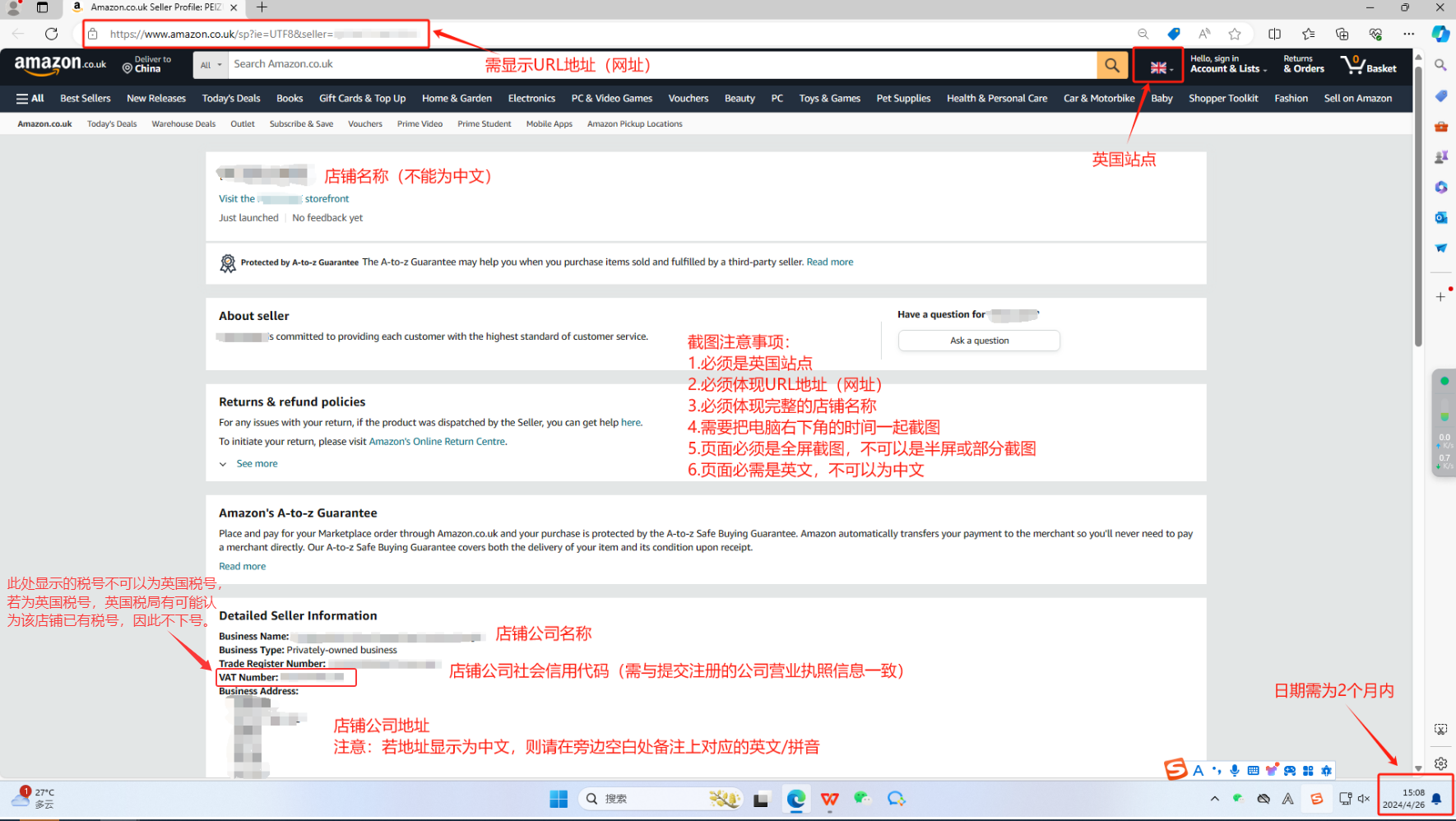
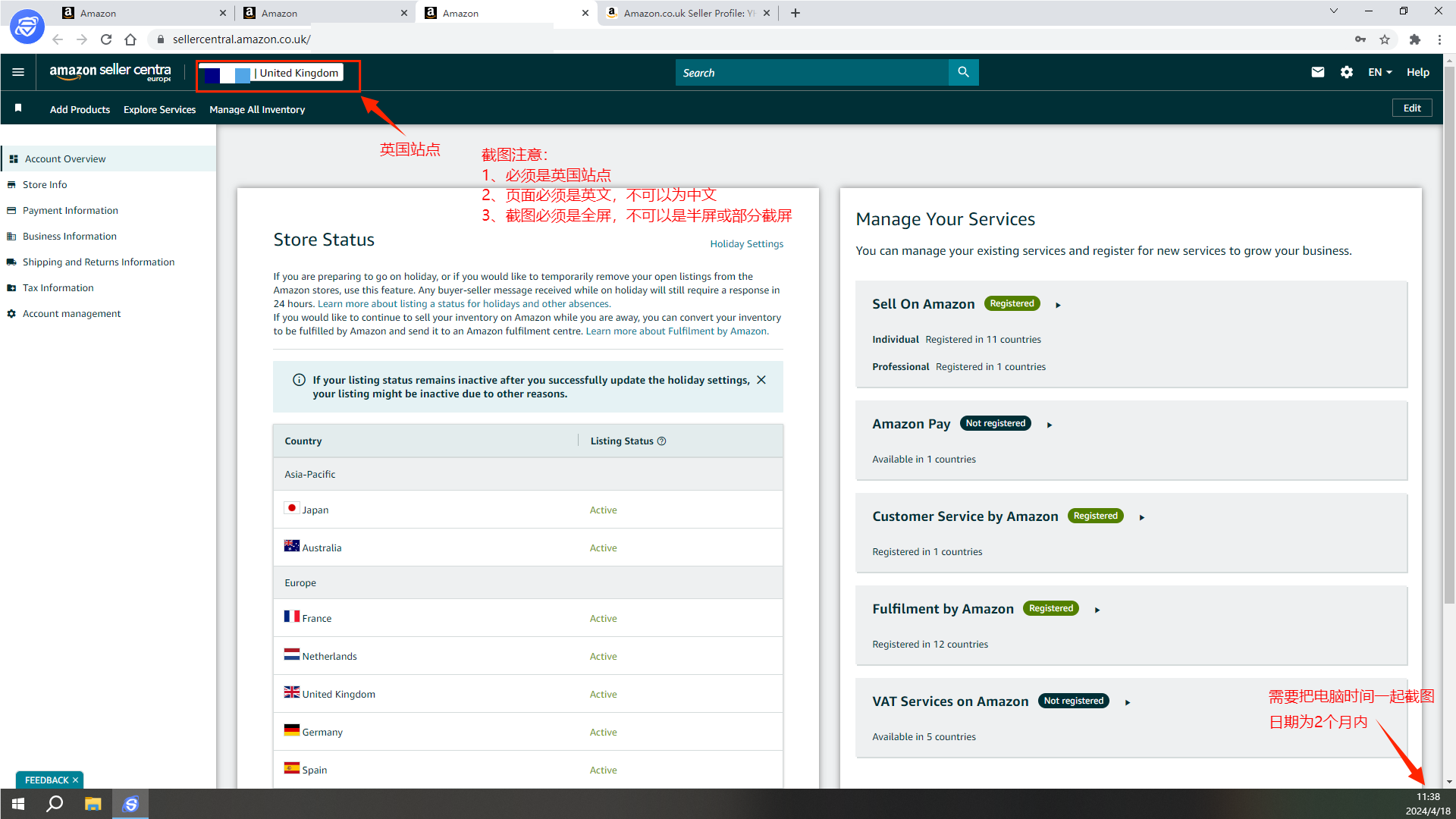
截图注意:①必须体现左上角的店铺名;②截图页面必须是英文;③截图必须是全屏!!!
1、进入店铺前台页面,截图①(必要)
店铺前台链接:https://www.amazon.co.uk/sp?ie=UTF8&seller=【卖家记号】
注意:截图中VAT Number位置展示的税号不可以是英国税号,若是英国税号,税局则有可能会认为该店铺已有税号,因此不下号。
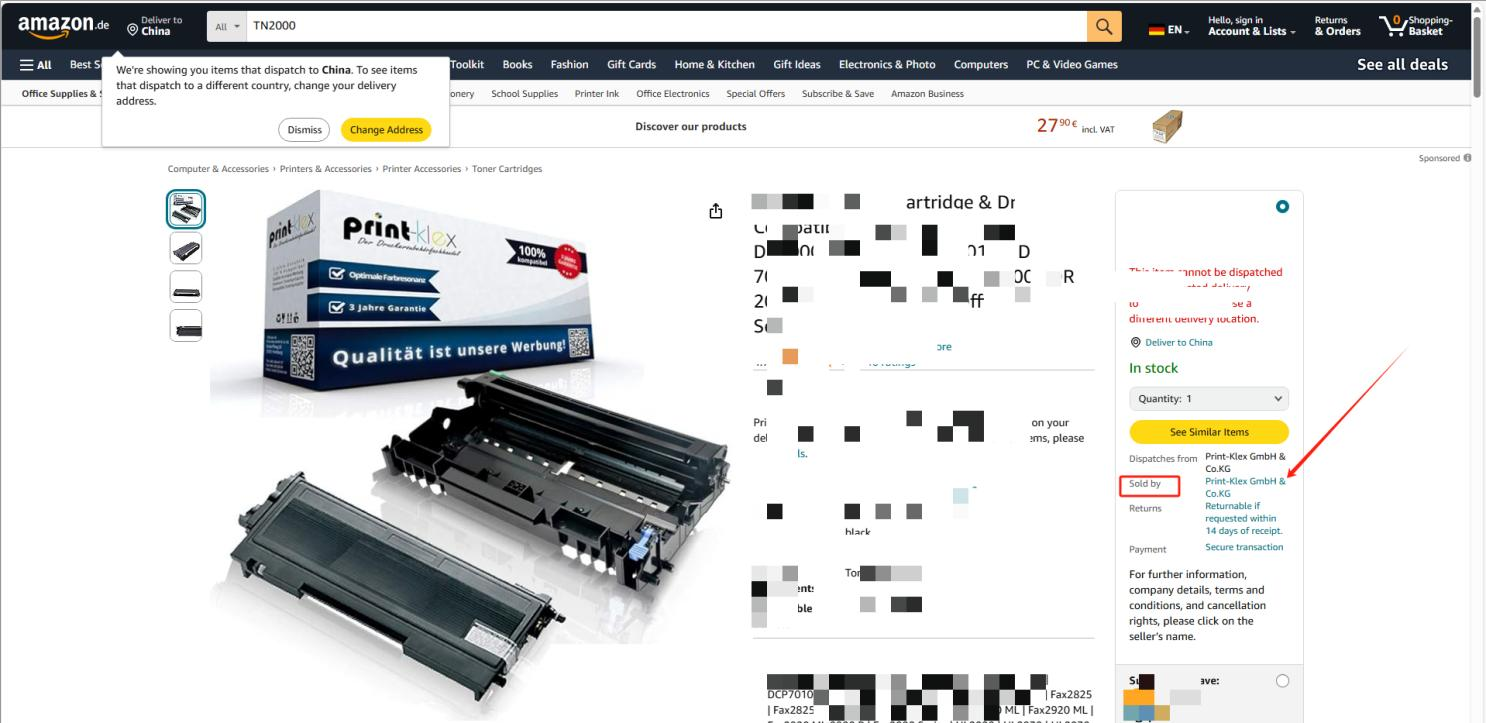
或者可以通过前台商品详情页,点击右侧的【soldby】进入前台页面
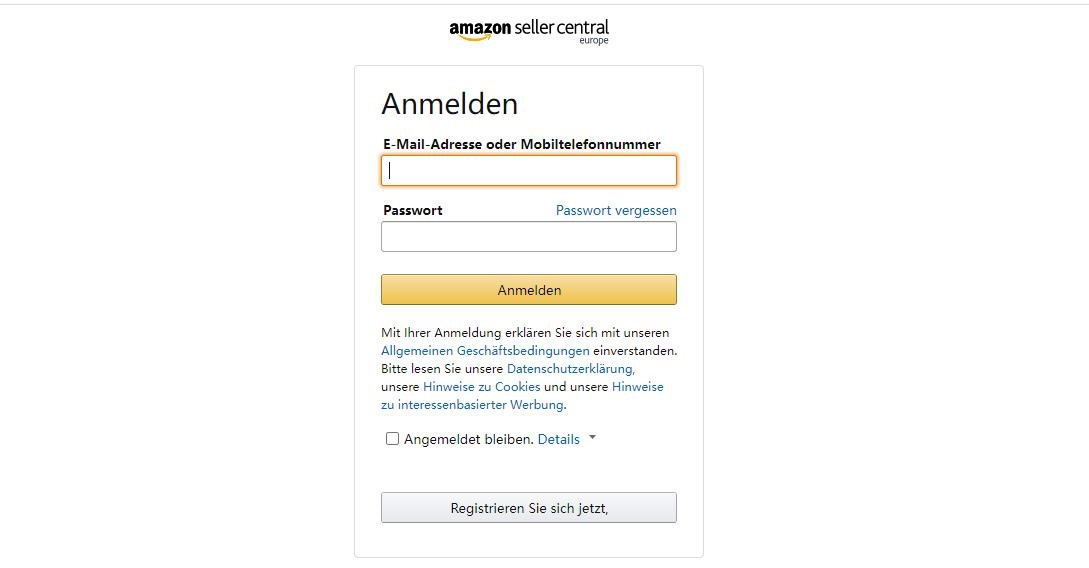
2、通过链接登录Amazon Seller Central卖家后台中心
链接:https://sellercentral.amazon.co.uk/gp/homepage.html
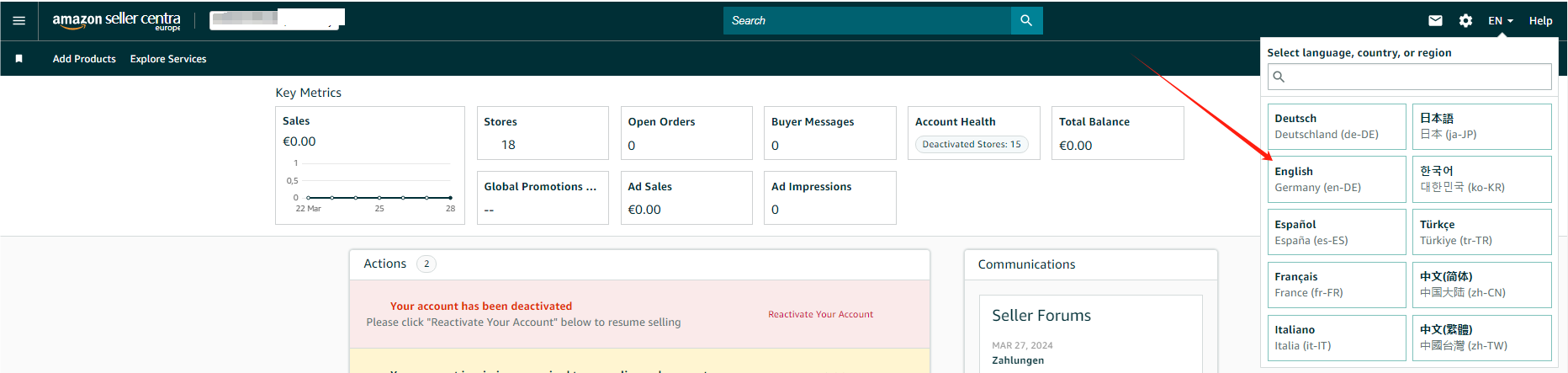
3、先设置页面语言为英文
4、点击右上侧设置按钮【Account Info】
5、进入账号信息页面,截图②(必要)
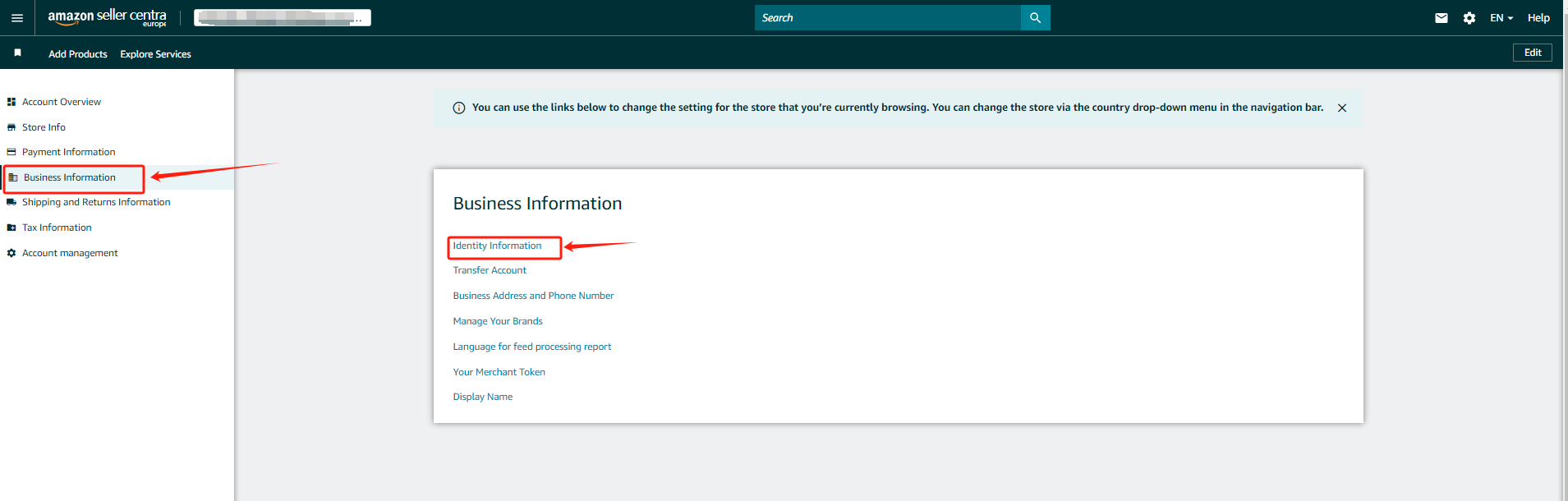
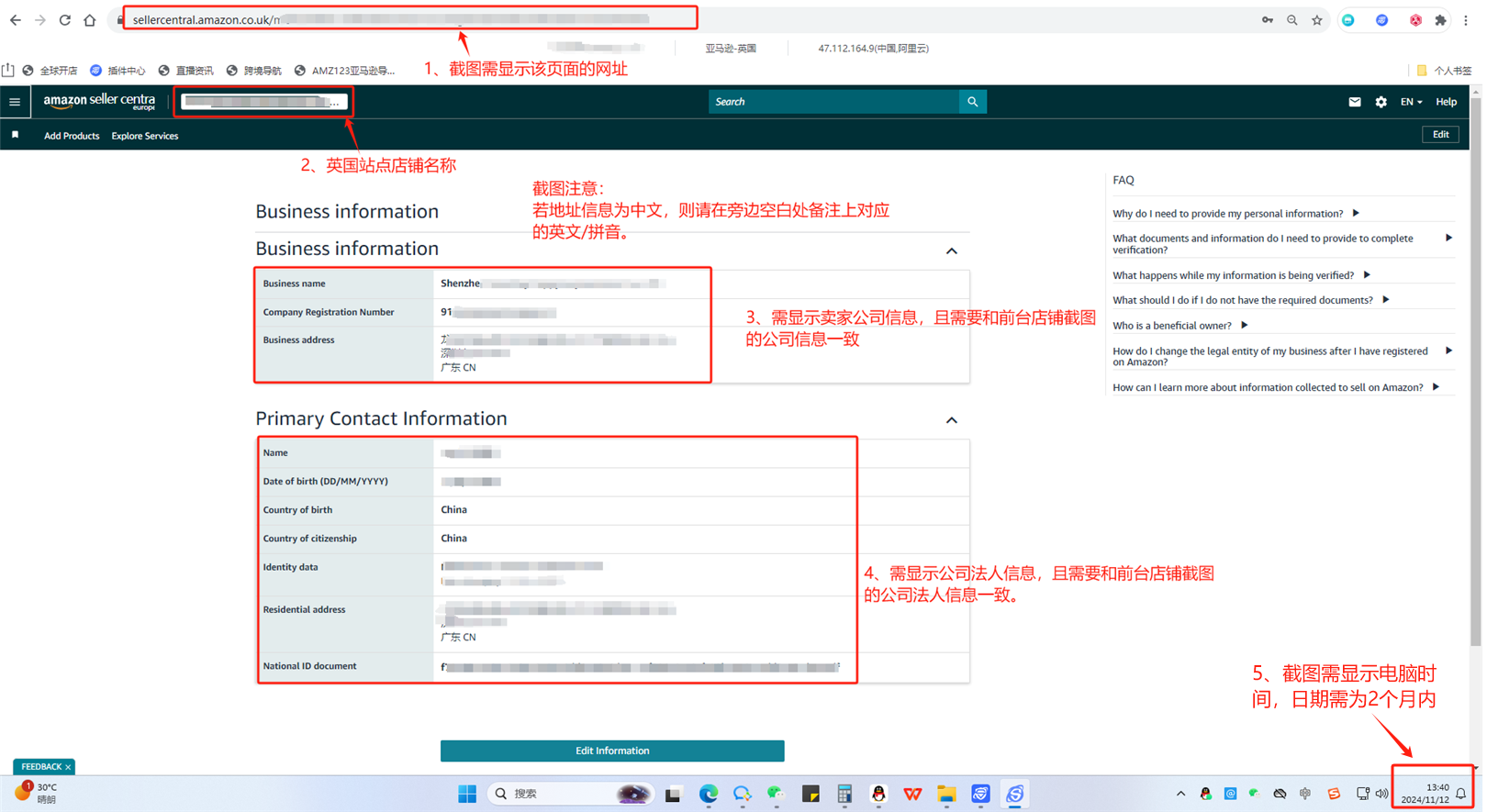
6、点击左侧的【Business Information】>【Identity Information】
7、进入身份信息页面,截图③(必要)
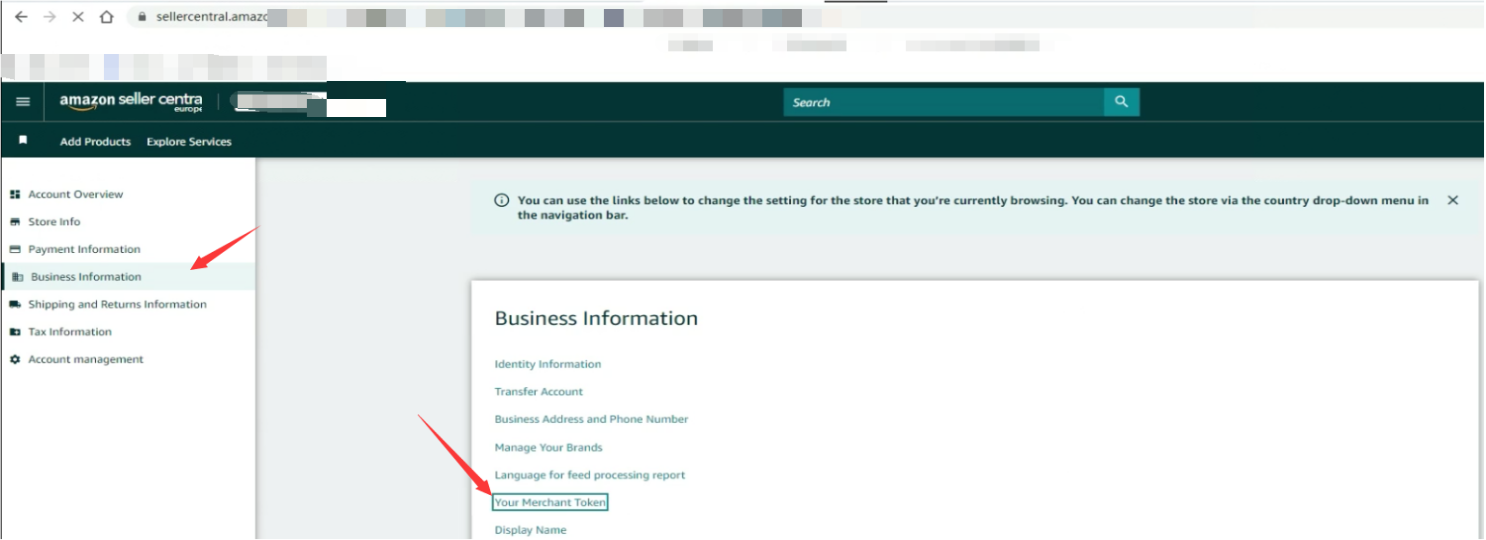
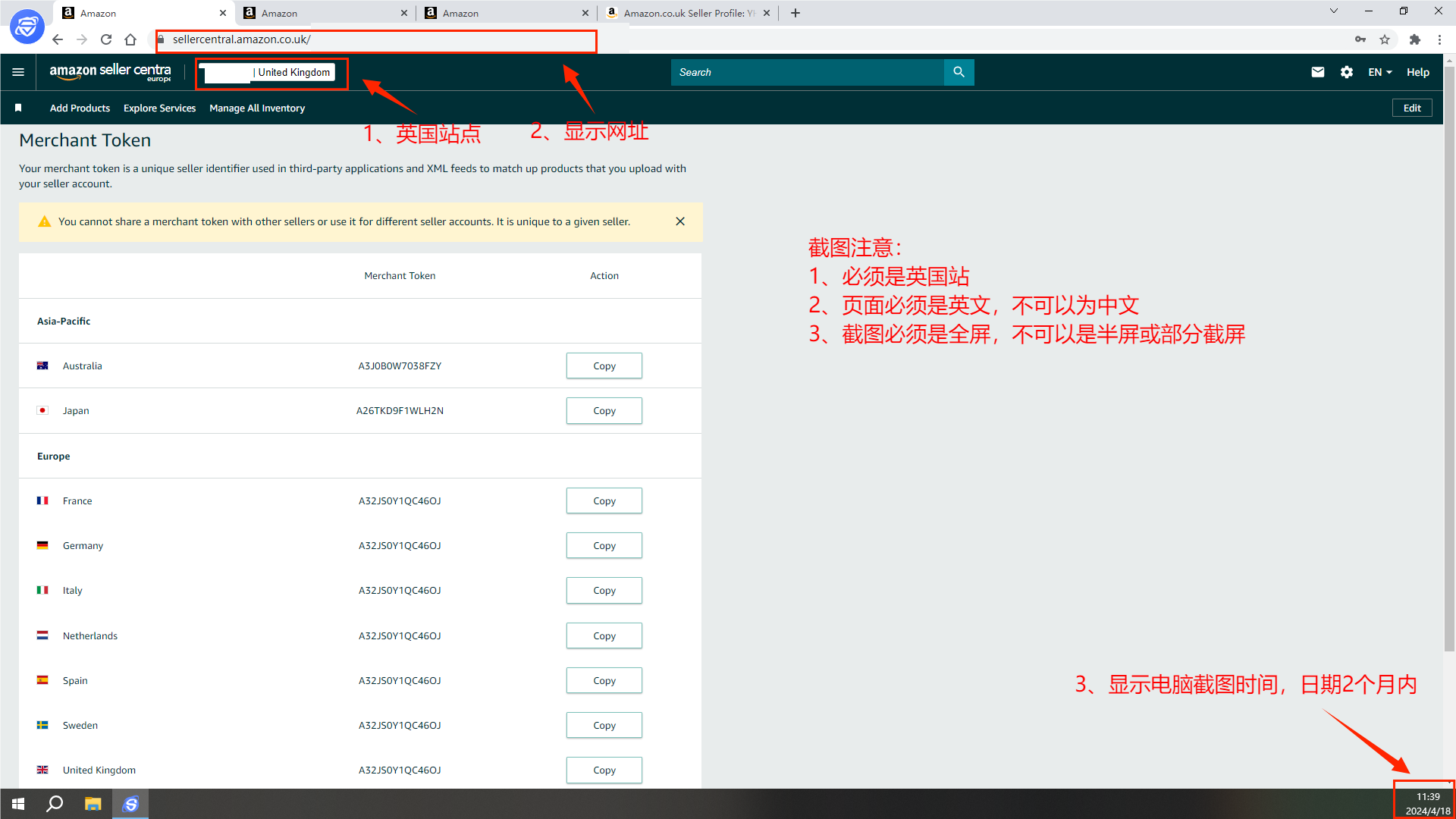
8、返回【Business Information】,进入【Your Merchant Token】
9、进入卖家记号页面,截图④(必要)
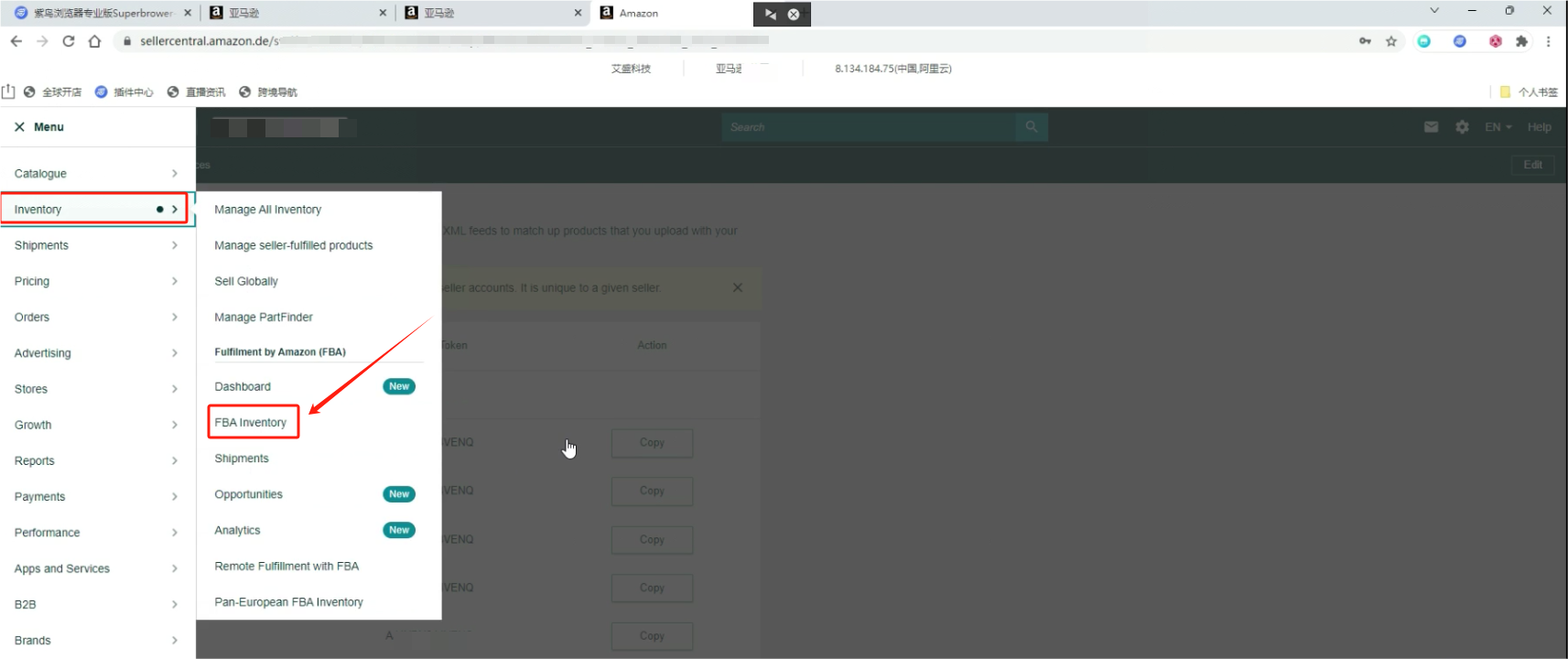
10、点击左上角导航按钮,点击【lnventory】 >【FBA lnventory】
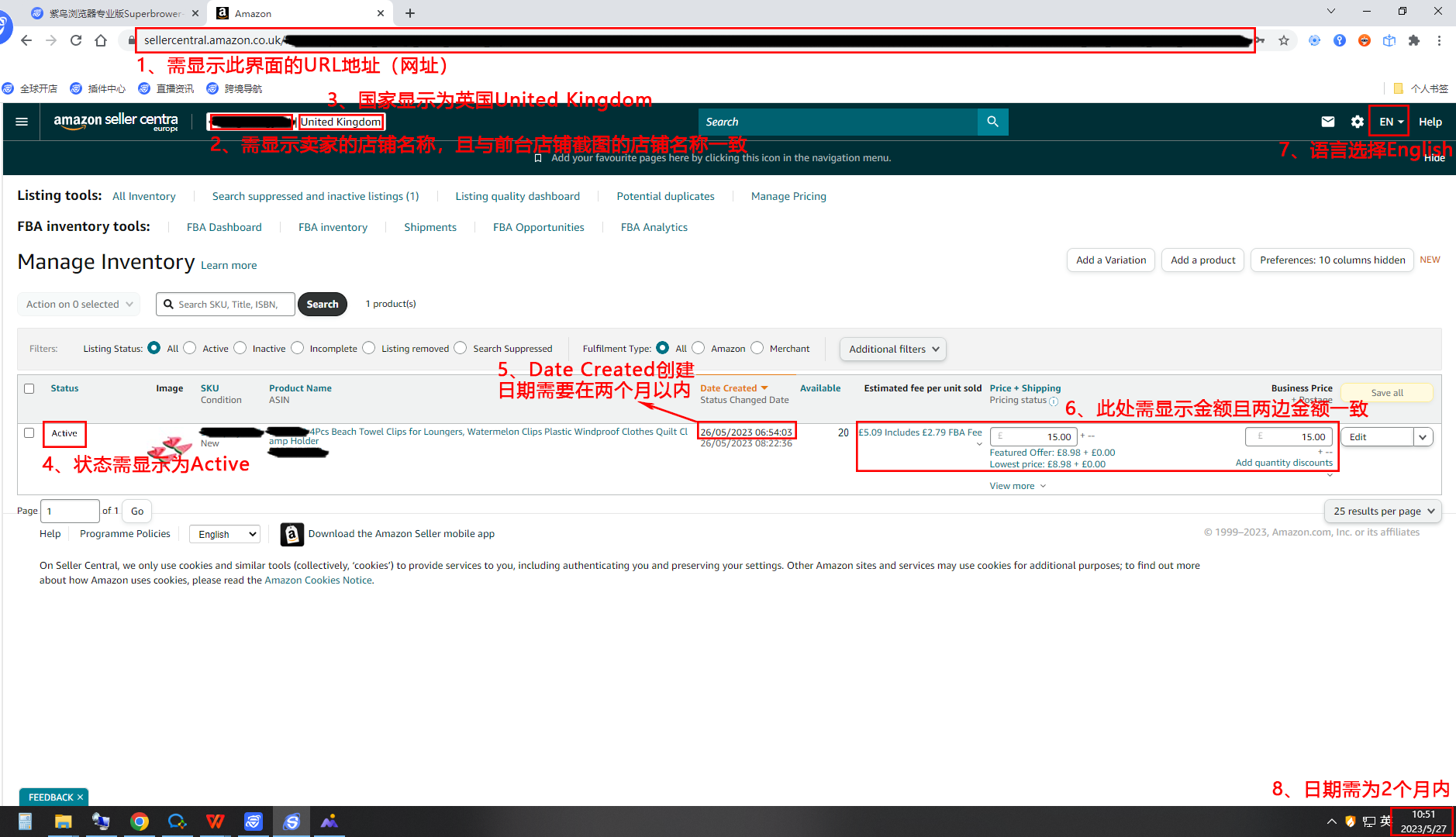
11、进入到“FBA Inventory”页面,截图⑤(必需)
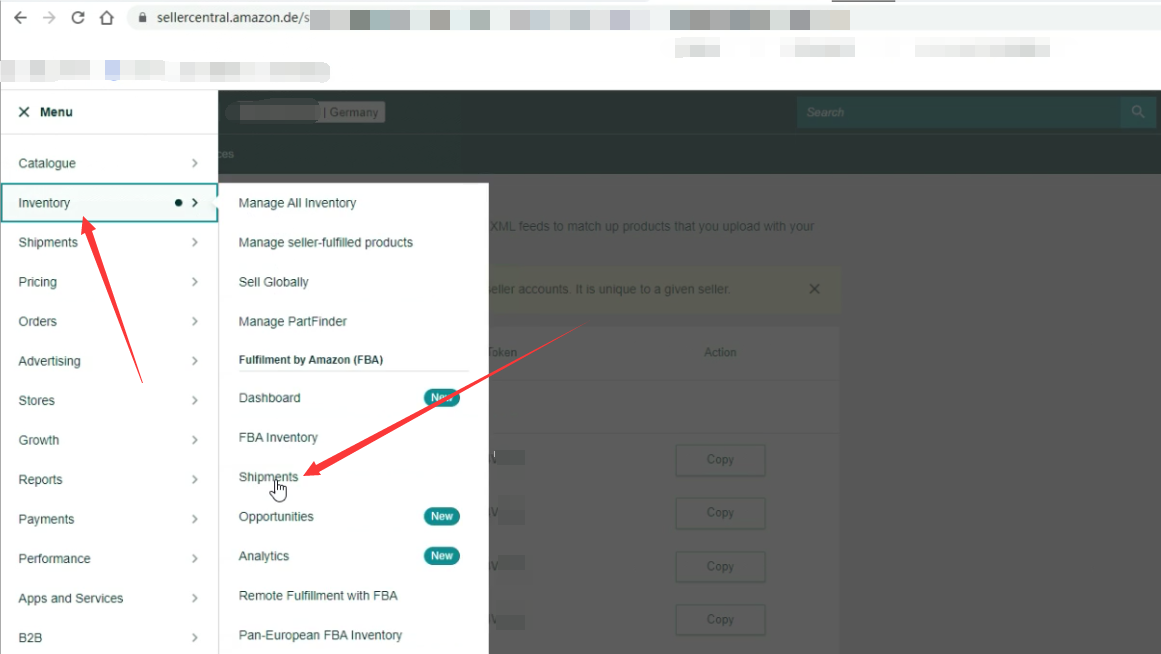
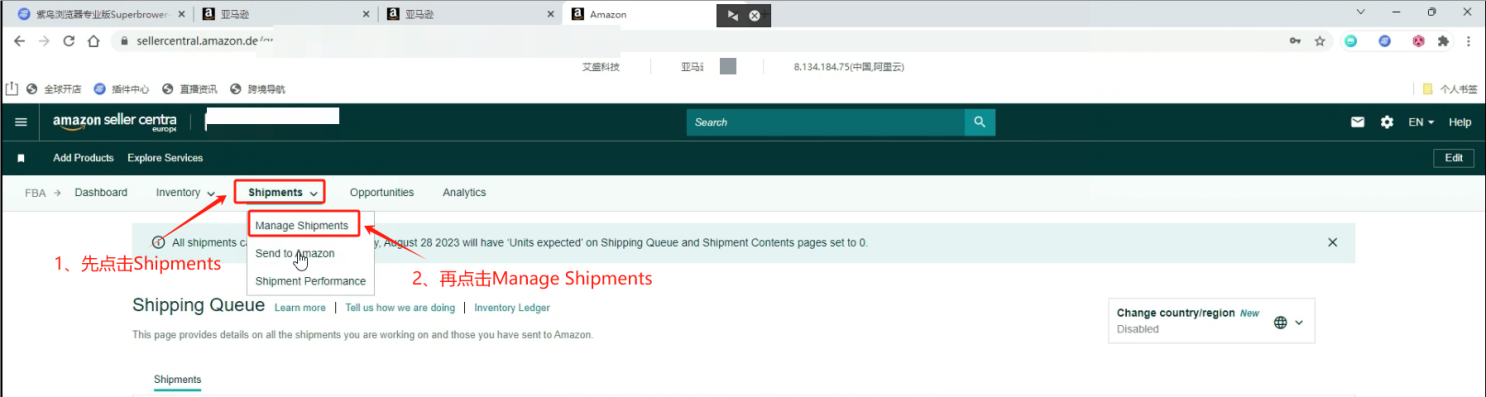
12、返回左上角导航栏【lnventory】 >【Shipments】
13、点击上方导航栏点击【Shipments】>【Manage shipments】
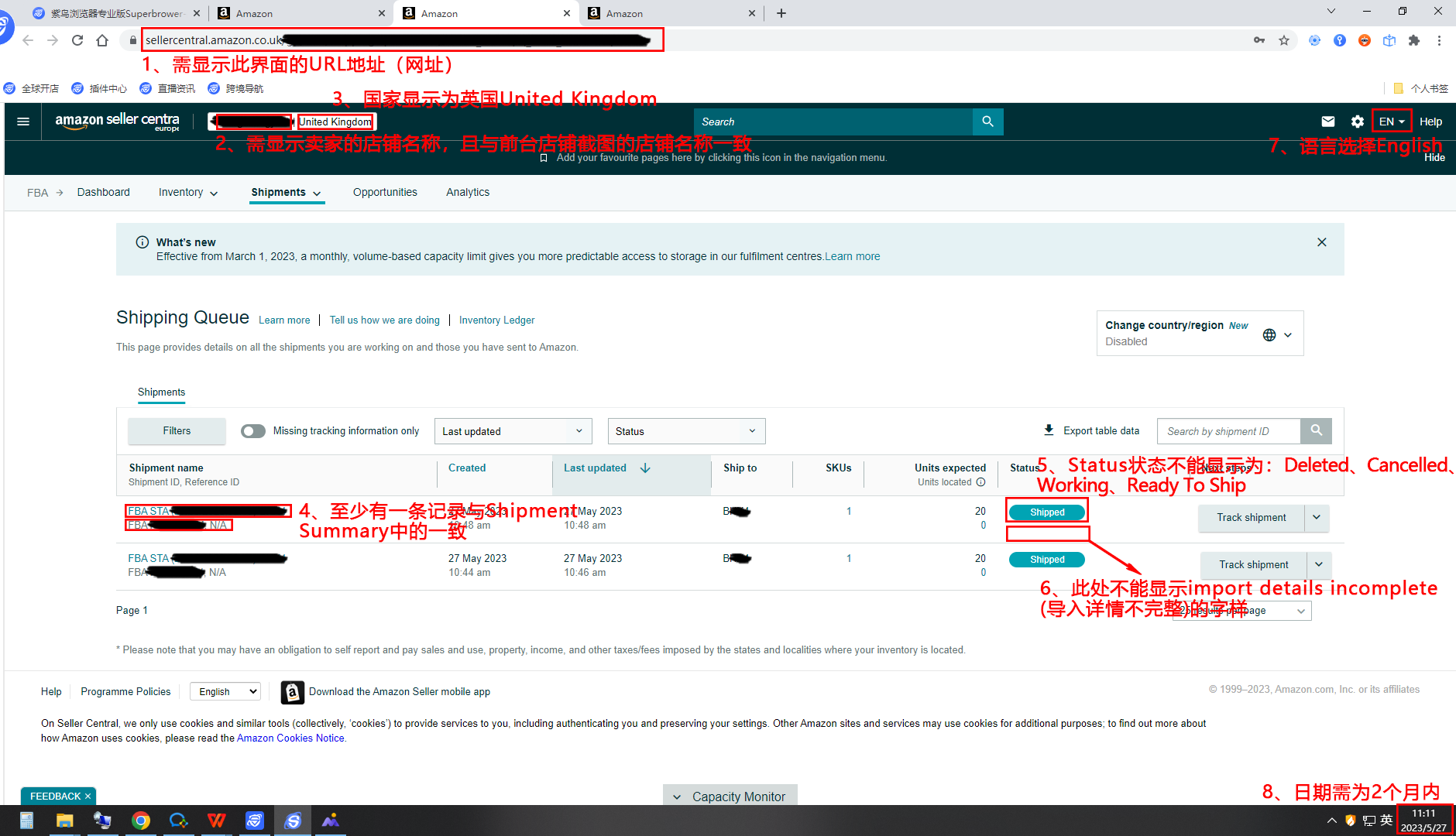
14、进入到“shipping Queue”页面,截图⑥(必需)
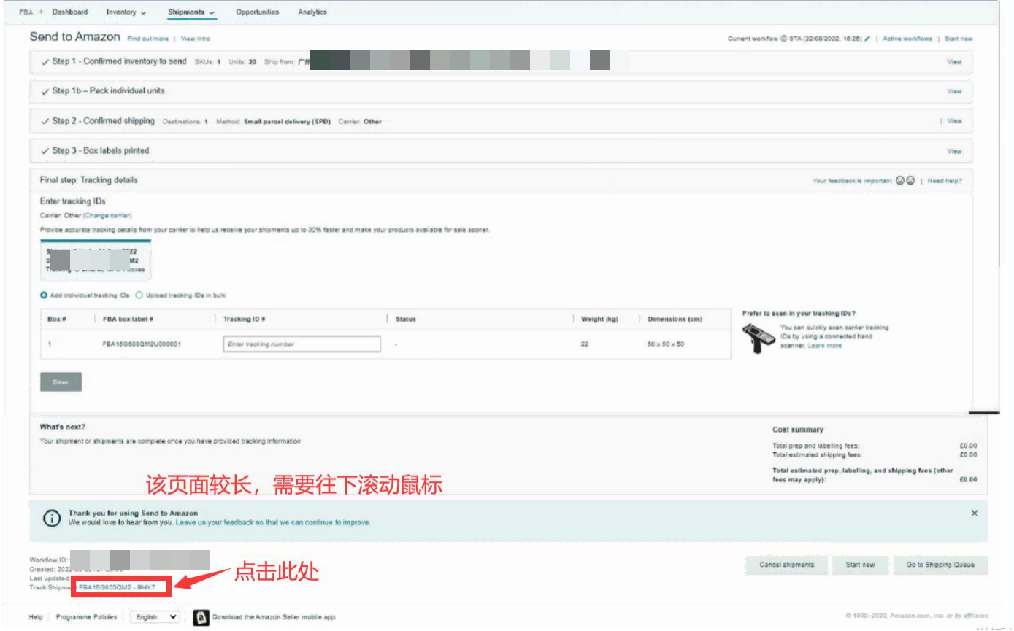
15、点击上方导航栏【Shipments】>【Send to Amazon】
16、因为该页面较长,需要向下滚动,找到Track SHipment后点击FBA货件编码
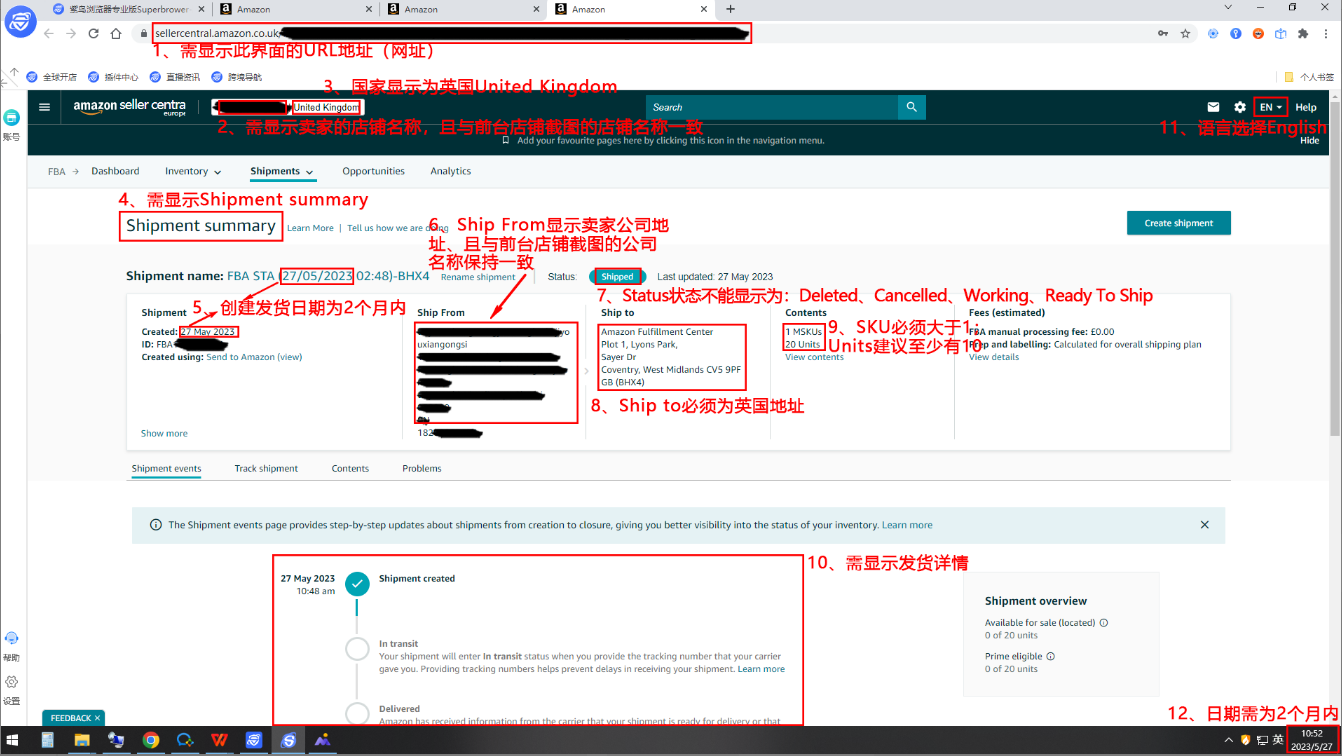
17、进入FBA仓储页面,截图⑦(必要)
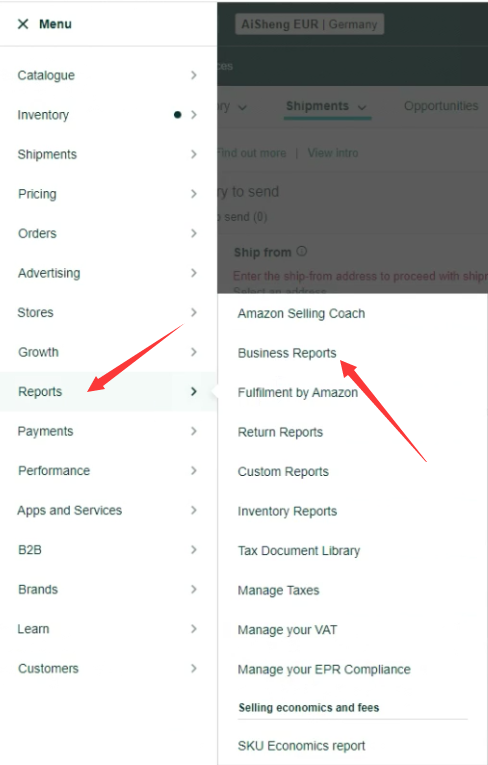
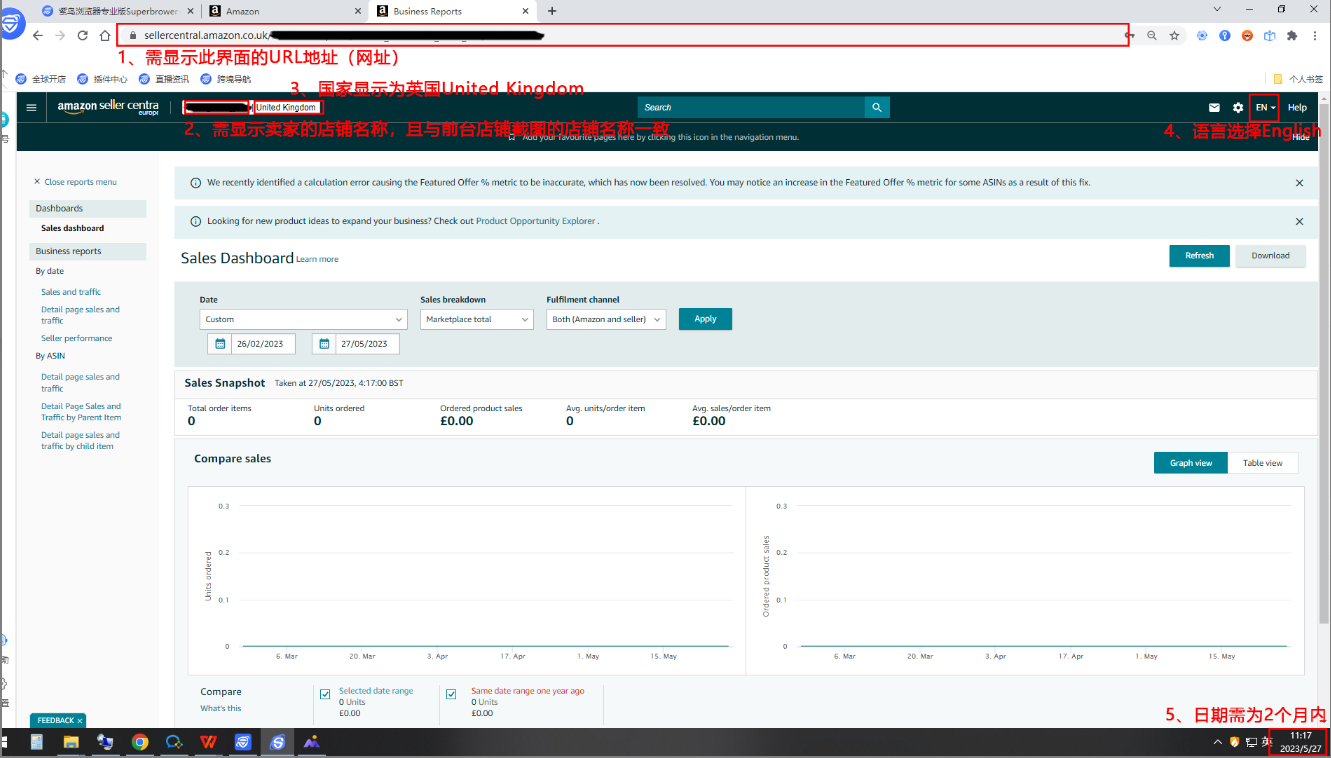
18、点击左上角导航栏【Reports】 >【Business Reports】
19、进入销售记录页面,截图⑧(必要)
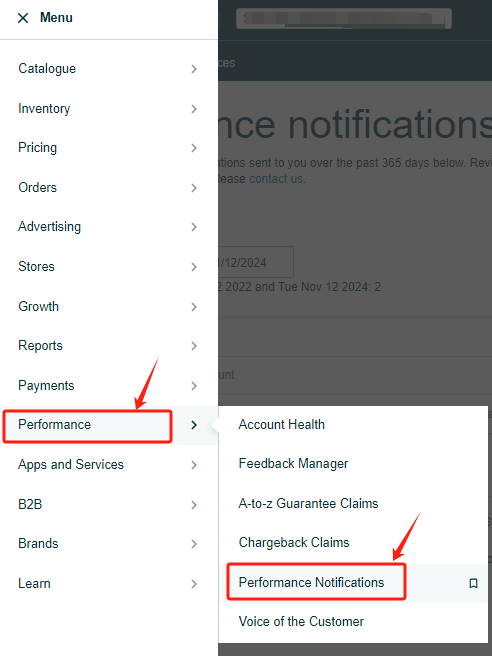
20、点击左上角导航栏【Performance】>【Performance Notifications】
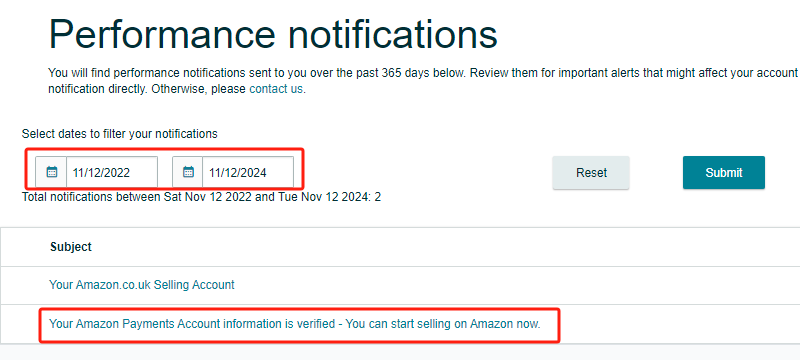
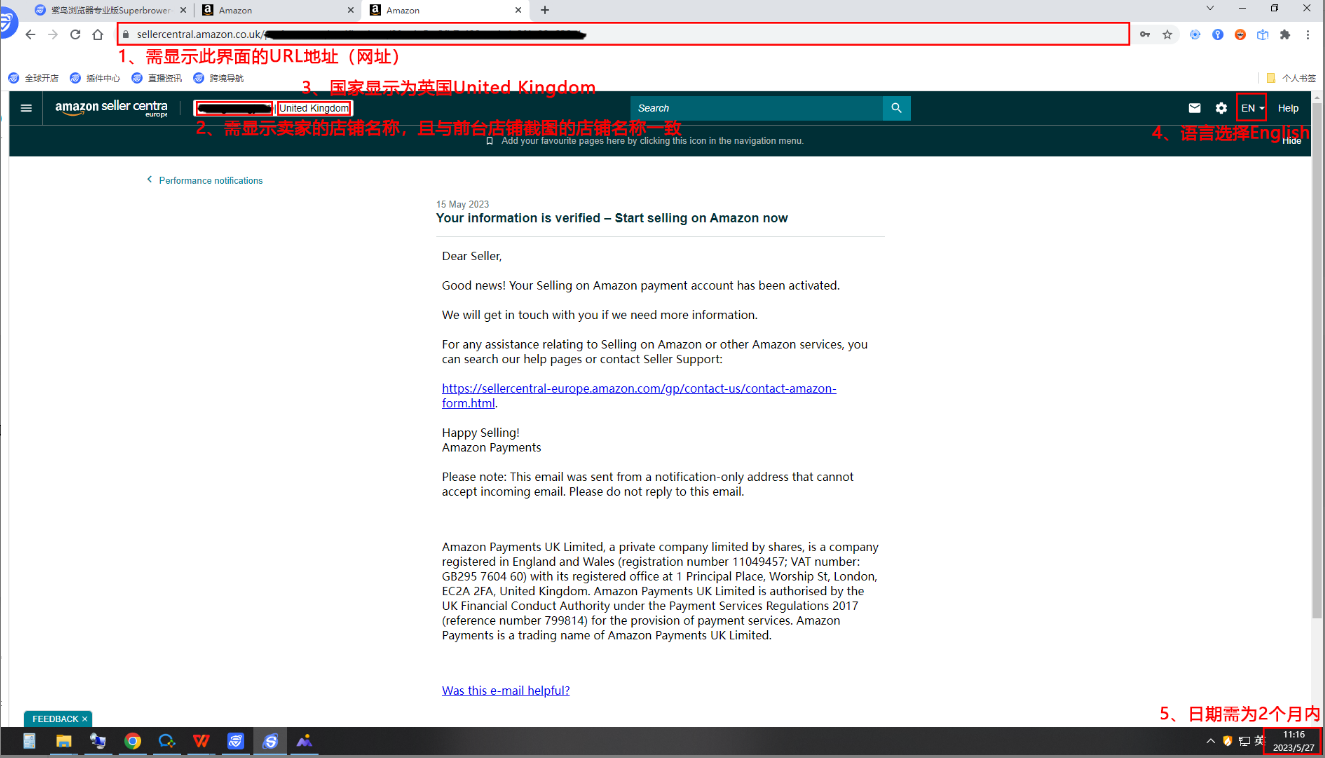
21、选择要筛选通知的日期,找到亚马逊信息已验证通过的邮箱,点击进去截图即可。
(若在此页面找不到对应的邮件,您可以在店铺绑定的邮箱内寻找)
22、开店成功通知,截图⑨(必要)






 粤ICP备18006826号 粤公网安备 44030702005516号 Copyright © 2018 深圳跨信通科技有限公司. All Rights Reserved